
Last Thanksgiving, I drove more than 1,000 miles with my dog in the back seat. Finding places to stop — especially dog-friendly restaurants and parks — meant constantly pulling over to search my phone. It was inconvenient and added a good amount of time to my trip, but hey, it was certainly better than one-hand searching on my phone while driving.
Google’s newest update to Maps, amped up by Gemini AI, is designed to help with situations like that. The company announced today that it’s adding Gemini’s conversational AI capabilities directly into the Maps app, bringing more natural and hands-free interactions to the more than 2 billion Maps users worldwide.
Here’s everything that’s new for Google Maps.
Read also: Planning a Holiday Road Trip? Here’s My Trick for Using Google Maps Without Internet
Hands-free navigation comes to Google Maps
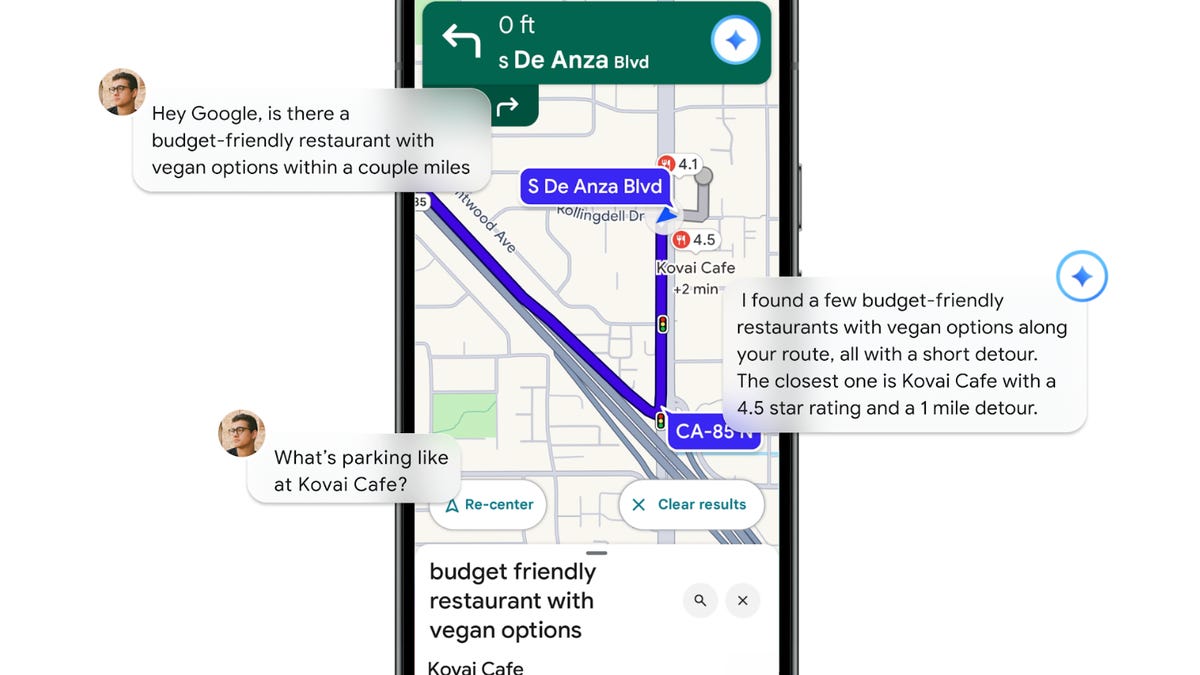
The most notable change is the addition of Gemini’s conversational mode while navigating. Drivers can now ask detailed, context-aware questions, such as where to find “a restaurant with vegan options and easy parking within a few miles,” without having to type or tap.
Gemini can follow up on requests, too, like adding a calendar reminder for soccer practice or checking on EV charger availability along the route. On Android, it can also share your ETA with contacts by voice.
Drivers can report real-time conditions by saying something like “I see an accident ahead” or “There’s flooding on this road” and Maps will add those safety alerts for other drivers on that route.
Google says Gemini-powered navigation will roll out to Android and iOS in the coming weeks, with Android Auto support to follow.
Turn-by-turn directions are getting more visual
Google is also rethinking how Maps gives directions. Instead of “turn right in 500 feet,” Gemini can reference real-world landmarks like “turn right after the Thai Siam Restaurant” or “turn left before this stop light.”
According to Google, these landmark references come from its database of 250 million mapped places, combined with Street View imagery to ensure what drivers hear actually matches what they see.
This feature is available now for both Android and iOS in the US.
Early warnings for traffic disruptions
A new proactive traffic alert feature will notify users about road closures, backups or other disruptions ahead even if navigation isn’t active.
These alerts are rolling out first in the US on Android devices and are designed to help drivers reroute before getting stuck.
Explore destinations with Gemini and Lens
When you reach your destination, Gemini wants to stay useful through an upgraded version of Lens in Google Maps. By pointing your camera at a building or storefront, Gemini will identify what it is, summarize reviews and highlight popular dishes or items.
You can also ask follow-up questions like, “What’s this place known for?” or “Is it usually busy at lunch?” and get AI-generated answers based on Google’s location data and user feedback.
This update begins rolling out later this month for Android and iOS users in the US.
Read also: 7 Ways I Use Google Maps for Seamless Travel
Gemini’s integration brings Google Maps closer to being a true voice-first navigation assistant. The AI’s ability to understand complex questions about the route, manage personal tasks while you’re driving and describe surroundings could make daily commutes and road trips less stressful — and possibly even safer.
If these tools had been around last Thanksgiving, finding a place to stretch my legs, walk my pup and grab lunch might have been as simple as asking out loud instead of pulling over to a random place and hoping for the best.
Read also: My Fall Adventures Are So Much Easier Thanks to Google Lens: How to Use It Like a Pro
